
Night watch and the evening heads-up
Live alerts tell you to go out now. These two Pro messages help you plan before that, so you can book a tour, set an alarm or stay home with a clear conscience.
The evening heads-up
About three hours before it gets dark, you get one message for each location you watch, if tonight's best hour looks like 20% or more. It says how high the night peaks and around what time. It is an early look: forecasts firm up closer to the hour, and your live alerts make the final call.
It needs the chance alert (Alert me on good nights here) switched on for that location. In places where it stays dark all day in midwinter, there is no evening to send it before, so it doesn't come.
Night watch
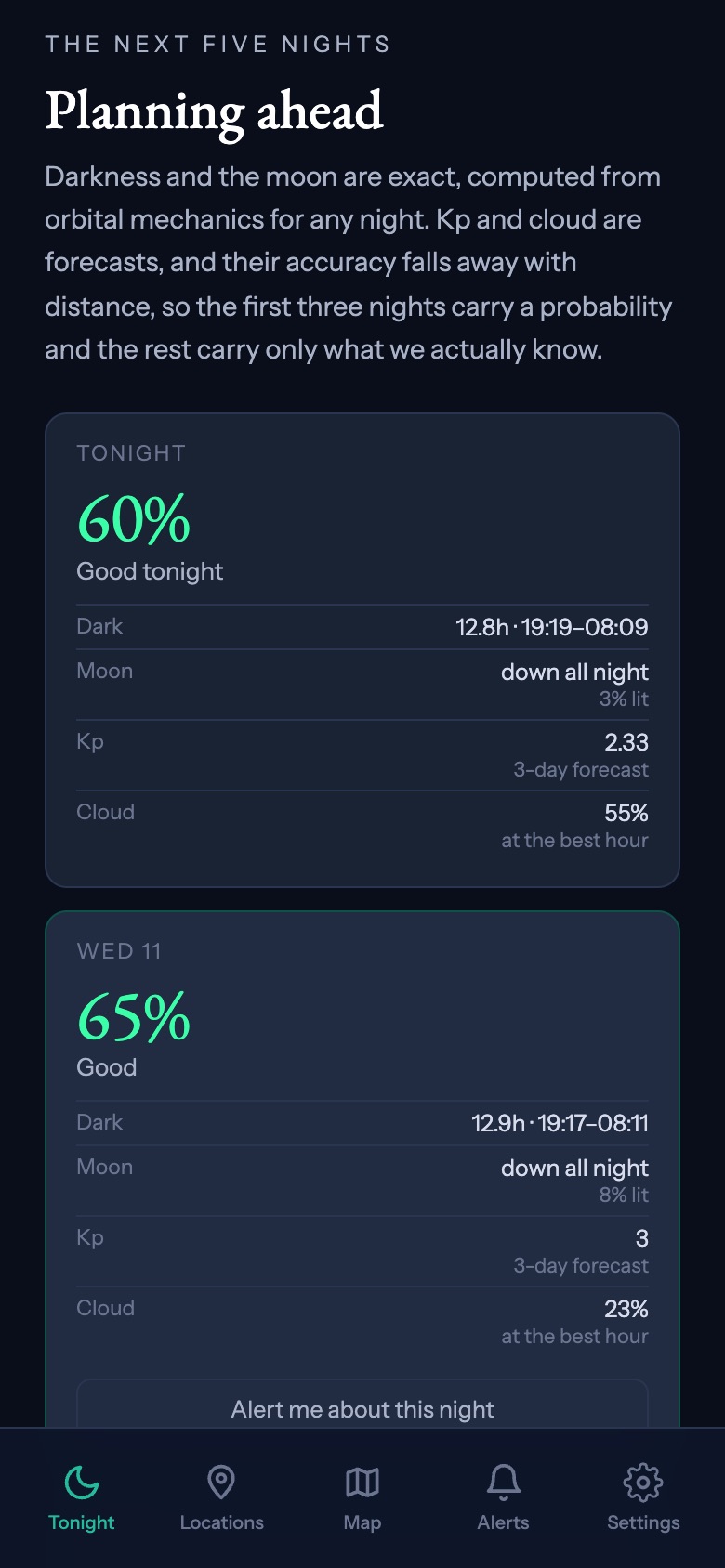
Night watch is for a specific night, up to five days ahead. Say you are deciding about Friday: find Friday in The next five nights, on the Tonight screen or a location page, and tap Alert me about this night. Tonight itself can't be watched, because your live alerts already cover it.
About eight hours before dark on Friday, you get a message either way. If the night reaches 50%, it tells you so and names the best time. If it doesn't, it tells you that too, so you know it's probably not worth the drive.
- You can watch up to three nights per location. A fourth replaces the earliest.
- To cancel, tap Watching this night ✓ again.
- It works for our destinations and your saved spot. For a place you only looked up with Use my current location, save it as your aurora spot first.
- You don't need to set up alerts for the place first.